
Moving Electronics Safely: A Complete Guide for Your House Move
Moving electronics safely takes more preparation than putting devices into ordinary moving boxes. Televisions, desktop computers, laptops, monitors, gaming consoles, speakers, routers and other electronic equipment contain sensitive components that can suffer damage from impact, vibration, moisture, pressure or incorrect handling.
Modern households often own thousands of pounds’ worth of electrical equipment, so careful preparation can protect both your devices and the information stored on them.
The safest approach starts before moving day. Back up important data, photograph cable connections, organise accessories, choose suitable packaging and protect every device according to its size and construction.
If you need additional support during a house move, Coxs Movers & Storage Ltd can assist with the wider removal and storage process. Good communication between you and your moving team can make it easier to identify fragile equipment and plan careful handling.

Why Moving Electronics Safely Matters
Electronics Need Protection From More Than Impact
Electronic devices contain screens, circuit boards, connectors, storage drives and other sensitive parts. Sudden movement, compression, moisture or vibration can create problems even when the outside of a device looks undamaged. Proper packing helps reduce movement inside boxes and prevents other household items from pressing against delicate electronics during transport.
Large screens create particular challenges because they can crack under direct pressure. Computers also require careful preparation because physical damage can affect stored files or internal components.
Start by creating an inventory of important electronics. Include televisions, laptops, desktop computers, monitors, printers, consoles, speakers, routers, tablets and valuable accessories.
Record model or serial numbers for expensive equipment where useful. Photographing each device before packing can also create a practical record of its condition.
Preparing Electronics Before Moving Day
Step 1: Back Up Important Data
Back up important information before disconnecting computers, laptops, phones, tablets and external storage devices. Save work files, photographs, financial documents and other valuable information to a trusted cloud service, external drive or another secure location. Keeping more than one backup can provide additional protection for files that you cannot replace.
Physical packing protects the device, but it cannot guarantee the safety of your data.
Complete backups before moving day rather than waiting until the final hours. Check that you can access important files from your backup location before shutting down the device.
For highly important work equipment, consider keeping essential devices or backup drives with you during the move.
Step 2: Shut Devices Down Correctly
Turn electronic equipment off properly before disconnecting it. Do not simply remove the power cable while a computer, console or other device continues running.
Allow equipment to shut down completely and cool before packing it.
Remove discs, USB drives, memory cards and detachable accessories where appropriate. Close laptop screens carefully and secure any moving components according to the manufacturer’s instructions.
A careful shutdown helps prepare the equipment for transportation while reducing unnecessary strain on connectors and internal components.
How to Organise Cables and Accessories
Step 3: Photograph Connections Before Disconnecting Cables
Take clear photographs of cable connections before unplugging televisions, computers, monitors, routers, speakers, game consoles and home entertainment systems. Make sure your photographs clearly show which cable connects to each port.
These simple reference pictures can save significant time when you set up your equipment at the new property.
Take close-up photographs when several cables look similar. You can also photograph the complete setup so you remember the position of different devices.
Do this before disconnecting anything, especially when you have complicated entertainment or home-office equipment.
Step 4: Label and Bag Cables by Device
Label cables with short descriptions such as TV HDMI, PC Monitor, Router Power or Games Console. Place cables, remote controls, adapters and accessories into separate labelled bags for each device.
Avoid placing every cable from the house into one large box because this makes identifying individual accessories much harder later.
Where practical, keep each accessory bag inside the same box as its device. If this could scratch the equipment, place the labelled accessory bag in a separate accessories carton and record its location on your inventory.
Choosing Packaging for Electronic Equipment
Step 5: Use Original Packaging When Available
Original manufacturer packaging often provides a convenient option because its inserts fit the product’s shape. If you still have the original television, monitor, computer or console box, inspect it carefully and reuse the supplied protective inserts when they remain in good condition.
Do not automatically reuse damaged or damp original packaging.
Make sure the carton still offers enough structural strength for transportation. Secure the box with quality packing tape and add extra protection where necessary.
Original packaging can help, but careful handling remains important throughout loading and transportation.
Step 6: Choose a Strong Replacement Box When Needed
If you no longer have the original box, choose a strong carton that provides enough space for cushioning without leaving excessive empty room.
Avoid boxes that feel soft, damp, crushed or structurally weak.
An oversized box may allow equipment to shift during transport and can encourage overpacking. A box that fits too tightly may place direct pressure on the device.
Choose packaging that allows protective material around the top, bottom and sides while keeping the device stable.
Protecting Electronics Inside Moving Boxes
Step 7: Wrap Each Device Separately
Protect electronic devices individually instead of placing several unprotected items together. Use suitable foam, soft protective wrapping, moving blankets or other appropriate materials around each device.
For sensitive electronic components, anti-static materials may provide additional protection where appropriate.
Avoid allowing adhesive tape to touch screens or finished surfaces directly.
The protective layer should cushion the equipment without creating excessive pressure. After placing the wrapped device into its carton, fill appropriate gaps so it cannot move freely when someone carries the box.
Step 8: Protect Screens From Direct Pressure
Television and monitor screens require extra protection because direct pressure can cause serious damage.
Place a clean, soft protective layer across the screen before adding further padding around the complete device. Avoid rough materials that could scratch the display.
Never place hard objects, cables or accessories directly against a screen.
Keep sharp box edges, furniture and heavy cartons away from exposed display surfaces during loading. Screen protection should focus on reducing impact and preventing concentrated pressure on delicate areas.
How to Move TVs and Large Monitors Safely
Use the Correct Box and Enough Handling Support
Large televisions and monitors can feel awkward even when they do not weigh much. Their wide shape makes them difficult to grip and manoeuvre through narrow doors, staircases and corridors.
Use original packaging or a properly sized specialist TV box when possible.
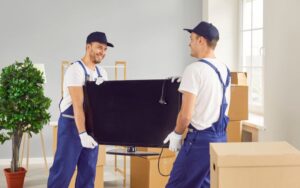
Large screens often require two people for controlled lifting. Plan the route before picking up the television and remove obstacles in advance.
During transport, position the TV securely and prevent heavy furniture or cartons from pressing against it. Ask your moving team about appropriate handling if you have an unusually large or valuable screen.
How to Pack Computers Safely
Prepare Desktop PCs and Computer Equipment Separately
Shut down desktop computers correctly and disconnect every cable carefully. Remove USB devices, discs and other detachable accessories. Photograph the rear connections before disconnecting them if you expect difficulty reconnecting the system.
Wrap the computer case with suitable protective material and place it inside a strong box with adequate cushioning.
Pack monitors separately because their screens require different protection.
Keep keyboards, mice, webcams and other accessories together in clearly labelled bags or cartons. Avoid placing heavy equipment directly on top of computers during transport.
How to Pack Laptops and Tablets
Keep Portable Electronics Padded and Accessible
A padded laptop sleeve or protective case can provide the first layer of protection for a laptop or tablet. Add further cushioning when placing the device inside a moving box.
Keep chargers, adapters and accessories together and label them clearly.
Do not pack portable devices beside liquids, cleaning products or heavy objects.
If your laptop contains important business information or personal records, you may prefer to carry it with you rather than place it inside the main removal vehicle.
Back up important information regardless of how you transport the device.
How to Pack Gaming Consoles and Entertainment Systems
Remove Discs and Pack Accessories Separately
Shut down gaming consoles properly before packing them. Remove game discs, detachable storage devices and accessories where appropriate.
Wrap the console individually and use suitable cushioning to prevent movement inside its box.
Place controllers, power cables and HDMI leads in clearly labelled bags.
Do not place heavy speakers, books or other dense items on top of gaming equipment.
If your entertainment system includes several devices, number each box and create a simple inventory so you can rebuild the setup more easily after arriving.
Batteries and Detachable Components
Follow Manufacturer Instructions for Battery-Powered Devices
Remove user-removable batteries where the manufacturer recommends doing so. Store them safely and avoid packing loose batteries where metal objects could contact their terminals.
Lithium batteries and specialised battery-powered equipment may require additional precautions, particularly for certain transportation methods.
Check the manufacturer’s guidance for unusual or high-capacity battery equipment before moving it.
Remove printer cartridges, memory cards, discs and detachable components when the manufacturer recommends removal before transport.
Do not guess when dealing with specialised electronics. Follow product-specific instructions when they differ from general moving advice.
Labelling Electronics Boxes Properly
Make Fragile Equipment Easy to Identify
Write clear information on at least two sides of every electronics box. Include the main device, destination room and relevant handling instructions.
Examples include TV – LIVING ROOM – FRAGILE, PC – HOME OFFICE and GAMES CONSOLE – BEDROOM.
Large labels help movers identify sensitive cartons quickly during loading and unloading.
Numbering electronics boxes can also support your inventory. For example, Electronics Box 04 – Router, modem and cables makes locating essential equipment easier after arrival.
Avoid writing highly sensitive information about valuable items unnecessarily on external labels.
How to Load Electronics Safely
Keep Electronics Away From Heavy and Unstable Items
The safest packing method can still fail if someone loads electronic equipment poorly.
Place electronics where heavy furniture, tools or boxes cannot fall onto them. Keep cartons stable so they do not slide excessively during normal vehicle movement.
Do not use fragile electronics boxes as a base for heavy cartons.
Keep liquids, cleaning supplies and other potential spill hazards away from electrical equipment.
Tell your moving team which boxes contain televisions, computers or other particularly valuable devices before loading begins so everyone understands which items need careful positioning.
Common Mistakes When Moving Electronics
Avoid Rushing the Packing Process
One common mistake involves packing expensive electronics at the last minute. Rushing can lead to tangled cables, missing accessories, poor cushioning and weak boxes.
Another mistake involves combining several delicate devices in one overcrowded carton.
Avoid pulling cables from connectors, placing adhesive tape directly on screens or leaving devices loose inside boxes.
Do not assume every electronic item needs identical handling. A flat-screen television, laptop, desktop PC and printer each have different shapes, vulnerable components and packing requirements.
Product-specific instructions should take priority when a manufacturer provides them.
Electronics Moving Checklist
Complete These Checks Before Loading
Create an inventory, back up important files and photograph expensive devices before packing. Shut electronics down correctly, photograph cable connections and label every accessory. Use original packaging where possible, protect screens carefully, fill empty box spaces and label cartons clearly. Finally, check that fragile equipment cannot move freely before loading begins.
After reaching your new property, inspect packaging before opening it.
Unpack electronics carefully and keep packing materials until you have checked the equipment.
Do not rush to reconnect everything immediately if equipment feels unusually cold, damp or shows signs of moisture. Follow manufacturer guidance before switching affected electrical devices on.
Why Professional Moving Support Can Help
Professional Handling Can Simplify Complex Moves
Large televisions, computer systems and entertainment equipment can make a house move more complicated, particularly when you also need to manage furniture, appliances and dozens of moving boxes.
Coxs Movers & Storage Ltd provides moving and storage support for customers planning household relocations.
Discuss valuable electronics, difficult access and large screens before moving day so the team understands your requirements.
Professional support can reduce the amount of heavy and awkward carrying you need to manage yourself while helping you organise the wider moving process more effectively.
Why Customers Value Clear Moving Communication
Good Planning Supports Confidence Throughout the Move
Trust matters when another person handles valuable household possessions. Clear communication helps customers understand how the move will work and allows the moving team to identify fragile, awkward or high-priority belongings before loading begins.
Customers can support the process by labelling boxes accurately and explaining any unusual requirements.
Coxs Movers & Storage Ltd focuses on providing organised moving and storage support based on each customer’s needs.
Preparing valuable electronics properly before moving day also helps everyone involved handle those belongings with greater awareness.
Frequently Asked Questions
1. What Is the Safest Way to Move Electronics?
Back up important data, shut each device down correctly and pack it individually with suitable protection. Use original packaging where possible or choose a strong, properly sized carton. Protect screens from direct pressure, fill empty spaces to prevent movement and label boxes clearly. Keep heavy objects away from electronics throughout transportation.
2. Should I Remove Batteries Before Moving Electronics?
Remove user-removable batteries when the manufacturer’s instructions recommend it. Store batteries carefully and protect their terminals from contact with metal objects. Equipment containing lithium or specialised batteries may need additional precautions. Always check the manufacturer’s guidance for the specific device rather than assuming that every battery-powered product requires exactly the same preparation.
3. How Should I Pack a TV for Moving?
Use the original television box and inserts when they remain available and suitable. Otherwise, use a correctly sized TV box with soft screen protection and sufficient cushioning. Keep hard objects away from the display and avoid direct pressure on the screen. Large televisions may require two people for safe, controlled handling.
4. Should I Back Up My Computer Before Moving House?
Yes. Back up important documents, photographs and work files before disconnecting your computer. Use a secure cloud service, external storage device or another trusted backup method. Consider keeping more than one copy of irreplaceable information. A backup protects your data if your computer experiences an unexpected technical problem during or after the move.
5. Can Professional Movers Pack and Move Electronics?
Many removal companies can help with fragile or awkward household equipment, although available services vary. Tell the company about televisions, computer equipment and other valuable electronics before booking. Ask what packing materials and handling support they provide. Early communication allows the moving team to understand your equipment and plan the move more effectively.

Final Thoughts on Moving Electronics Safely
Moving electronics safely depends on preparation, suitable packaging and careful handling from the moment you disconnect a device until you set it up again.
Start with your data. Back up important files before touching cables or packing computers.
Photograph connections, organise accessories and clearly label everything. Use manufacturer packaging when available, but inspect it before reuse. When you need replacement cartons, choose strong boxes that provide enough space for protective cushioning without allowing excessive movement.
Pay special attention to televisions and monitors. Protect screens from direct impact and pressure, and never place heavy objects against them.
Treat computers, consoles, laptops and other equipment individually rather than filling one box with several unprotected devices.
Good loading practices matter just as much as careful packing. Keep electronic equipment away from unstable heavy items, liquids and objects that could create pressure during transportation.
Finally, inspect each device after arriving at your new home before reconnecting it.
If you have large televisions, complex entertainment systems, multiple computers or other difficult equipment, professional moving support can make the wider relocation easier to organise.
Coxs Movers & Storage Ltd can help customers manage the removal and storage process while they prepare valuable belongings for moving day.
With a clear plan, proper protection and sensible handling, you can make moving electronics a safer and more manageable part of your house move.
Call to Action
 Call: Wigan: 01942 834 980
 Website: Coxs Movers & Storage Ltd
 Get a Free Quote Today
Coxs Movers & Storage Ltd — Manchester’s trusted name in removals.
Get Coxs Movers & Storage Ltd.’s Best Services